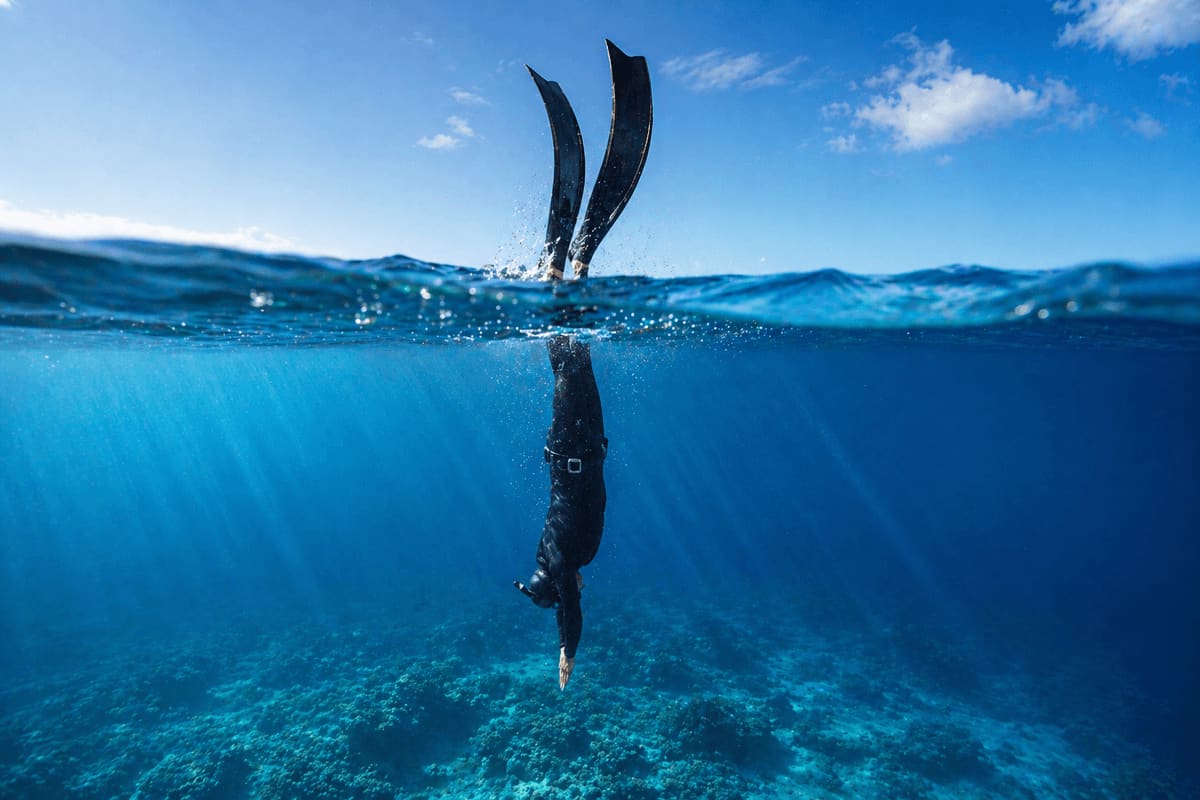

Safety First
Never freedive alone. A dive computer records depth and time; it cannot prevent blackout or decompression illness. Dive with a trained buddy who watches every dive, and keep surface intervals at least twice your dive time, longer for deeper dives, as DAN's experts advise.
Can you freedive with a scuba computer in gauge mode?
Yes. Gauge mode turns a scuba computer into a depth gauge and dive timer, and Cressi's manuals for the Newton and the Leonardo state that their GAGE mode may be used by apnea divers. It shows current depth, maximum depth and dive time without running a decompression model, which covers the basic information a breath-hold diver needs.
What gauge mode leaves out is everything built around repetition. A dedicated freedive or apnea mode treats a morning on the line as one session of many short dives: it counts them, times each surface interval, logs depth at a fine resolution and sounds alarms tuned to breath-hold work. Gauge mode was designed for a single scuba dive, often as a backup bottom timer, and on scuba computers it also starts a lockout that matters as soon as you want to scuba dive again.
Below: what each mode does, how the seven computers reviewed on this site behave according to their manuals, and a setup routine for a freedive mode and for gauge mode. Picks and prices are in the freediving computer roundup.
What scuba, gauge and freedive modes actually do
Each mode answers a different question. Scuba mode works out how much nitrogen you have absorbed from compressed gas. Gauge mode reports only how deep and how long. Freedive mode reports how deep, how long, and how long you have rested since the last dive.
- Scuba mode (Air, Nitrox, Single-Gas)
- Runs a decompression algorithm on every dive and shows no-decompression time, ascent rate and stops. The Cressi Newton uses Cressi's RGBM model with 9 tissue compartments; the Garmin Descent Mk3 uses Bühlmann ZHL-16C. The model assumes you breathe compressed gas at depth, so its warnings and locks are written for scuba ascents.
- Gauge mode (Gauge, GAGE, bottom timer)
- A depth gauge and stopwatch with the decompression model switched off. Garmin describes it as basic bottom timer features. On the Mares Puck Pro, bottom timer mode monitors only depth, time and temperature, and every alarm except low battery is turned off.
- Freedive mode (Free, Apnea, Apnea Hunt)
- Built for many short dives in a row. It groups dives into a session, counts them, times the surface interval and offers depth, time and rest alarms. Garmin states that its Apnea mode has a higher data refresh rate than the gas modes. Apnea Hunt is the spearfishing version, with start and stop tones disabled.
- Off mode
- On the Suunto D4f and the Cressi Nepto, Off stops the computer from switching into dive mode when submerged. Cressi suggests it for the pool, snorkeling, or any time you do not want dives recorded.
Names vary by brand. Cressi calls gauge mode GAGE, Mares calls it bottom timer, and Suunto and Garmin call it Gauge. Garmin also adds a Pool Apnea mode for static and dynamic work, the pool freediving disciplines where distance or time matters and depth does not.
Gauge mode vs freedive mode: the documented differences
The two modes differ in seven places: when a dive starts, how often depth is logged, how dives are counted, what the surface screen shows, which alarms exist, how a dive ends, and what the computer restricts afterward. The table pairs each with figures from the manufacturers' manuals and support pages.
The dive counting row is the one freedivers notice first. A breath-hold session is made of short rests, and the Newton and Leonardo manuals state that a dive beginning less than 2 minutes after surfacing counts as a continuation of the previous one. In a session with quick recovery dives, the dive count and per-dive times in the log will not match what you actually did.
Why scuba mode is a poor fit for breath-hold diving
Scuba mode assumes you breathe compressed gas and ascend slowly, and a breath-hold dive breaks both assumptions. The decompression model has nothing useful to say about one breath taken at the surface, while ascent rules written for scuba can flag an ordinary freediving ascent as a violation.
The Mares Puck Pro manual shows how. It defines an uncontrolled ascent as 12 m/min (40 ft/min) or faster, held over more than two thirds of the way up, on any dive deeper than 12m (40ft). An unhurried breath-hold ascent from 20m (66ft) that takes a full minute still averages 20 m/min (66 ft/min). After an uncontrolled ascent or a missed decompression stop, the Puck Pro blocks Air and Nitrox modes for 24 hours and allows only bottom timer mode. Its FASt menu lets you switch off the lock after an uncontrolled ascent, a setting Mares describes as intended for very experienced divers only.
Lockouts and waiting periods after gauge mode, by model
Every computer here that offers both scuba and gauge modes restricts what you can do after a gauge dive, because it lost track of your nitrogen while the algorithm was off. The trigger and the length differ by brand, and the freedive-only computers add no-fly notices of their own.
If you never use a tank, these locks change little: gauge mode stays available and keeps recording depth and time. On trips that mix scuba and freediving, keep the sports on separate days, check the lockout length against the order you plan to dive in, or carry a computer for each sport. A lockout reflects the computer's bookkeeping, not a measurement of the nitrogen in your body.
Which dive computers have a freedive mode? Model by model
Of the seven computers reviewed on this site, four have a dedicated freedive mode and three offer only gauge or bottom timer mode for breath-hold diving. The table lists what each manufacturer documents. Where a manual gives no figure, the cell says so.
Two notes on the Mares models. The Puck Pro manual is the source for that row; the manuals page on mares.com does not list a Puck Pro+ manual and the old Pro+ product page no longer loads, while retailer listings for the Pro+ describe the same bottom timer mode and 5-second sampling rate with no mention of freediving. The Smart Apnea is the opposite case: its manual describes only a watch mode and a free dive mode, with no scuba modes at all.
The Garmin is the only model in the table with scuba, gauge and apnea modes in one unit, which is why divers who do both sports look at it. Its depth sensor is rated accurate to 200m (656ft) under EN 13319, and the Garmin Descent review covers the watch side of the device.
Sampling rate and log resolution: why seconds matter
The sampling rate decides how much of a breath-hold dive the log actually holds. On a 40-minute scuba dive, a point every 20 seconds still adds up to 120 samples. A one-minute freedive at the same rate gets three, and the deepest moment passes in a second or two.
The Cressi Newton measures depth every second but stores a point only every 20 seconds. The Mares Puck Pro stores one every 5 seconds. Freedive modes go much finer: the Suunto D4f defaults to 2 seconds with 1 and 5 as options, the Cressi Nepto acquires data every 0.5 seconds during a dive and logs at 0.5, 1 or 2 seconds, and the Mares Smart Apnea logs at 0.25, 0.5 or 1 second.
Mares states the trade-off plainly. The Smart Apnea's sampling setting changes the amount of data you can download and the accuracy of the logged maximum depth, while the display always refreshes once a second whatever you choose. Finer sampling also fills memory faster.
For depth training, where you want the true bottom of every dive, the finest setting is worth the memory. For a long spearfishing day on a computer with small capacity, a coarser setting keeps the whole day in the log. Download after each trip either way: the D4f deletes its oldest dives once the memory is full.
How to set up a freedive mode for freediving, step by step
Set the computer up on land the evening before, with the manual open. Alarms only help if you know which sound means what, and some models use distinct patterns: the Smart Apnea gives three very short beeps for a depth alarm, two long beeps for dive time or surface interval, and continuous short beeps for a speed alarm.
- 01 —Select the freedive mode (Free, Apnea or Apnea Hunt) and confirm it on the surface screen. On the Garmin, choose Apnea Hunt only if you want the start and stop tones silenced.
- 02 —Set the water type. The Smart Apnea takes a density from 1.000 to 1.050 (default 1.025, salt water). Cressi's manuals note that fresh water depths read about 3% lower than salt water.
- 03 —Set a target depth alarm at or just short of the session's planned depth, so the computer tells you when to turn instead of you reading the screen at depth.
- 04 —Add intermediate cues if you use them. The D4f allows five depth notifications, which Suunto suggests for cues such as starting free fall or filling the mouth. The Nepto has five depth alarms settable in 2m (6ft) steps, the Smart Apnea six, and both offer a beep at every set depth interval.
- 05 —Set a dive time alarm a little under your comfortable breath-hold. On the Nepto it runs from 10 seconds to 6 minutes in 10-second steps.
- 06 —Set the surface interval alarm or minimum rest from your dive time: at least twice the dive time, longer as depth increases, following the guidance from DAN's experts. The Smart Apnea can enforce this as a t-factor of 1 to 7 times the previous dive, and the Nepto's Taravana levels run from 2.0 times (factory L1) to 5.0 times (L8).
- 07 —Choose the sampling rate: the finest setting for depth training, a coarser one for long sessions.
- 08 —Put the computer in pre-dive before you enter the water so it starts recording at 1.2m (4ft) without delay. The Nepto reads pressure twice a second in pre-dive instead of every 20 seconds.
- 09 —End the session properly so every dive is logged together. On the Garmin, press BACK and select Save; on the Smart Apnea, exit free dive mode only at the end of the session.
How you use those alarms depends on the session plan. The structure of depth, pool and dry sessions in how to train for freediving is a good starting point for deciding which targets and rest times to program.
The workaround if your computer only has gauge mode
Gauge mode works for freediving if you replace the missing features with a routine. In GAGE mode the Cressi Newton shows current depth, dive time in minutes and seconds, maximum depth, ascent rate arrows and temperature; the Puck Pro's bottom timer adds a stopwatch and average depth. That covers the basics, provided you or your buddy handle the timing.
- 01 —Switch to gauge mode before the trip, not on the boat. The Puck Pro will only enter bottom timer mode once it is fully desaturated.
- 02 —Check the lockout in the table above against your trip plan. If scuba dives are coming, bring a second computer for them.
- 03 —Time surface intervals with a stopwatch. The Newton shows the surface interval in hours and minutes, which is too coarse for a 2-minute rest, and a gauge dive ends on the computer's own schedule (Garmin's DIVE END countdown starts at 1m, or 3.3ft).
- 04 —Read the maximum depth after each dive instead of relying on a depth alarm. In bottom timer mode the Puck Pro turns every alarm off except low battery.
- 05 —Keep your own dive count. On the Newton and Leonardo, a dive started less than 2 minutes after surfacing merges with the one before it.
- 06 —Write the session down afterward: number of dives, deepest dive, longest dive. The log will be coarse, with a point every 5 seconds on the Puck Pro and every 20 seconds on the Newton.
What you give up in gauge mode
- Session grouping and an automatic dive count
- A surface interval shown in minutes and seconds
- Target depth, dive time and surface interval alarms
- A fine log that captures the true bottom of a short dive
- Recovery-time guidance such as the Nepto's Taravana countdown
If gauge mode on a scuba computer is more instrument than you need, simpler options are covered in the guide to watches with a depth gauge for freediving.
Surface intervals, taravana and what a computer cannot do
Repeated deep breath-hold dives with short surface intervals can cause decompression illness, and no setting on any of these computers removes that risk. A 2023 systematic review in Diving and Hyperbaric Medicine identified 17 articles describing 44 cases of decompression illness after breath-hold diving, and concluded that both decompression sickness and arterial gas embolism should be considered a risk for these divers. The case reports it reviewed involved repeated dives with short surface intervals.
DAN's Alert Diver describes one such case: a diver who made 10-12 dives to 10-18m (33-60ft), each lasting 60-120 seconds, with surface intervals of five to six minutes, and developed dizziness, visual disturbance and chest tightness two hours after the last dive. In the same article, Robert Wong advises keeping the surface interval longer than the dive time, and Neal Pollock writes that it should start at twice the dive time and increase with depth.
This is where a freedive mode earns its place. The Nepto turns that guidance into a countdown: its Taravana algorithm uses dive time, depth, profile and water temperature, recommends recovery of 2.0 times the dive time at the factory level L1 and up to 5.0 times at L8, and shows a TRV icon on any dive started early. The Smart Apnea's t-factor does the same job with a ratio of 1 to 7. Cressi is explicit about the limit of all of this.
"A dive computer only indicates dive time, surface times, and depth."
Who actually gets decompression sickness from freediving, and what the symptoms look like, is covered in the guide to whether you can get the bends freediving. For computer settings, the practical points are short: use the surface alarm, keep rests at least twice the dive time and longer on deep dives, and note that Cressi's Nepto manual advises against demanding freedives at a sustained pace in the 48 hours before flying, even though its no-fly icon runs for 24 hours.
Dual-use dive computer or freedive-only unit?
If you only freedive, a computer with a dedicated freedive mode gives you everything gauge mode does plus the session tools, without lockouts that only matter to scuba divers. If you dive both, the question is whether one computer covers both sports well enough or whether two are simpler.
- You only freedive
- Look for a freedive mode with a surface interval alarm, several depth alarms and a log interval of 2 seconds or finer. The Suunto D4f, Cressi Nepto and Mares Smart Apnea all document these features.
- You scuba dive and freedive now and then
- Gauge mode on your scuba computer covers casual breath-hold dives, as long as you accept the 24 to 48 hour lockout and time your own rests. Check the lockout length in your manual before a mixed trip.
- You do both regularly
- A computer with gas and apnea modes, such as the Garmin Descent Mk3, puts a real apnea mode and a decompression mode on one wrist. Its Gauge mode still carries the 24-hour restriction, and the Smart Apnea manual's 24-hour gap between scuba and freediving argues for splitting the sports by day whatever you wear.
Before buying anything, confirm three things in the manual rather than the product listing: whether the computer has a true freedive mode or only gauge mode, the freedive log interval, and whether it has a surface interval alarm. A listing summarizes; the manual states what each mode does. Model-by-model picks and prices are in the freediving watch roundup.